The way businesses communicate has changed dramatically in the last couple of decades. Traditional phone lines have given way to dynamic digital systems powered by VoIP (Voice over Internet Protocol), which comes with flexibility and cost savings. However, in a business environment, its true potential can only be realised through implementing a dedicated SIP server for VoIP. This core component manages call setup, routing, and termination to facilitate diverse real-time communication solutions. If your organisation relies heavily on VoIP or is considering building a comprehensive SIP-based communication platform, keep reading. In this guide, we’ll explain what a SIP server for VoIP is, how it works, and detail the tangible benefits it can bring to your business operations.
What is SIP?
SIP (Session Initiation Protocol) is a signalling protocol utilised to configure, establish, and terminate multimedia sessions, including voice, video, and messaging, between two or more endpoints on an IP network. You can think of it as the “language” devices use to set up a call or a video conference. Defined by IETF’s RFC 2543 (and subsequent updates), SIP surpasses older protocols by offering support for unicast, multicast, and extendable features. It can handle not just voice and video calls but instant messaging, file transfer, and presence information too, making it foundational to any modern real-time communication solutions.
What is a SIP Server for VoIP?
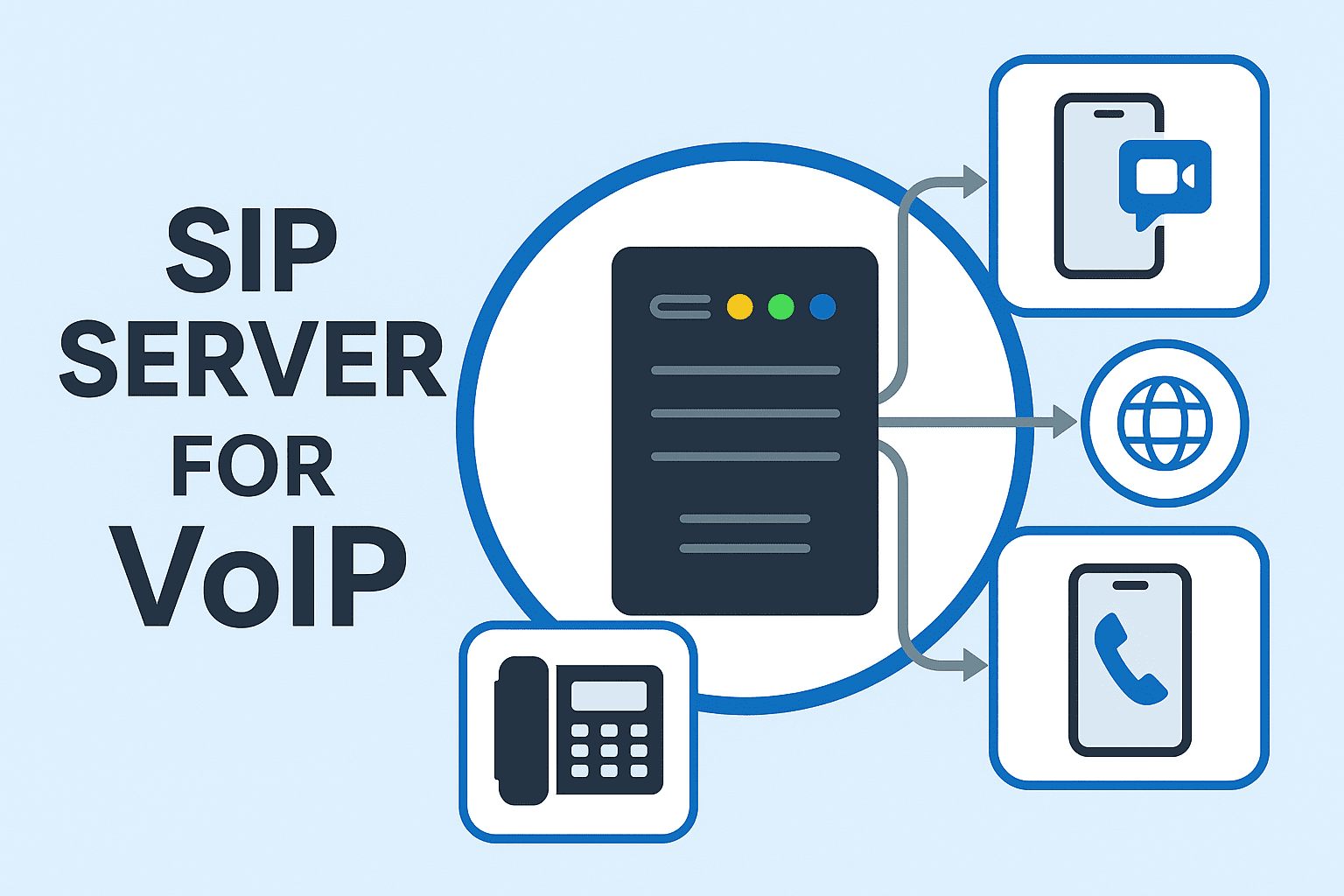
While SIP is the “language”, a SIP server for VoIP is the “interpreter” within an IP network. Also often referred to as a SIP Proxy, this server is essential to any modern IP PBX (IP Private Branch Exchange) or VoIP phone system deployment. Its primary job is to handle all the SIP signalling, call routing, and user authentication. When a user places a call, the server locates the recipient’s device, negotiates session parameters, and establishes the media path, regardless of their geographical location. SIP servers can be deployed on-premise (within a business’s own network) or hosted in the cloud by a third-party provider. They provide businesses with a scalable SIP-based communication platform, enabling seamless connectivity across desk phones, softphones, and mobile apps, wherever there’s an internet connection.
How Does a SIP Server Work?
A SIP server is a staging area for calls. When a user initiates a call or communication session, their device sends a SIP request to the server. The server then processes the request, locates the recipient’s device (even if registered elsewhere), and forwards the necessary signalling messages to establish a direct media path between the two endpoints. The underlying mechanisms involve stateless proxies that simply forward requests or stateful proxies that track session information. Whether stateless or stateful, the core function remains the same: the SIP server orchestrates the setup and management of the communication session, ensuring that the voice, video, or message packets can be transmitted between the correct participants.
Learn More About Onetouch UC Series IP PBX Solutions Today!
Clarifying Some Misnomers
SIP vs VoIP
A frequent point of confusion is the difference between VoIP and SIP. Think of VoIP (Voice over Internet Protocol) as the overarching method of transmitting voice calls over the internet. SIP, on the other hand, is the protocol that operates within VoIP. It initiates, modifies, and terminates those multimedia sessions (calls, video, etc.) that VoIP carries. So, while all SIP calls are VoIP calls, not all VoIP systems exclusively use SIP; they might use other protocols. Of course, SIP is the dominant protocol for modern business VoIP and building a flexible SIP-based communication platform.
SIP Server vs SIP Trunking
As mentioned earlier, a SIP server for VoIP is the core piece of equipment or software within your business network that manages your internal communication. It acts as a control point for calls between your phones, akin to an IP PBX. SIP Trunking is the service that connects that PBX to the public telephone network via your ITSP (Internet Telephony Service Provider). Put simply, the latter enables a virtual phone line service that allows your internal VoIP system to make and receive calls beyond your office walls.
7 Key Business Benefits of a SIP Server for VoIP
A SIP server for VoIP comes with many significant advantages that are necessary for businesses to thrive in today’s hyperconnected space:
- Cost Reduction: Consolidated bandwidth and fewer physical lines lower phone bills, especially for long-distance communication.
- Improved Call Management: Advanced features, such as multi-level IVRs, forwarding, queues, and customisable call routing, optimise customer interactions.
- Scalability: As businesses grow, more extensions can be easily added and call volumes handled without complex hardware overhauls.
- Reliability: Modern SIP servers, like Onetouch’s UC series with built-in UPS, offer high uptime and resilience against power failures and harsh operating conditions.
- Superior Call Quality: Support for HD codecs (e.g., OPUS, G.722, H.264, VP8) provides crystal-clear audio and video, critical for real-time communication solutions.
- Increased Security: Reputable SIP servers offer user authentication, TLS encryption, and secure SIP calling to protect communications from interception.
- Advanced PBX Functionality: Access a wealth of features previously reserved for expensive legacy systems, including call recording, conferencing, call reporting, and voicemail-to-email.
Powering Your Business Communication: Onetouch SIP Server (IP PBX) Solutions
For SMBs and small enterprises looking to maximise the potential of an SIP server for VoIP, Onetouch offers robust and reliable IP PBX solutions for their communication needs. Key features include:
- Robust Performance: The quad-core chipset handles hundreds of concurrent calls and thousands of extensions.
- Built-in UPS & Rugged Design: The heavy-duty, galvanised, fanless enclosure withstands challenging operating conditions and power fluctuations.
- High Scalability: Select Onetouch UC Series IP PBX models support up to 3,000 extensions and 300 concurrent calls.
- HD Codecs & Protocols: OPUS, G.722, SILK, H.264, and more for high-definition media.
- Secure SIP Calling: TLS encryption and Fail2ban integration protect against unauthorised access.
- Extensive PBX Features: Call recording, CDR (Call Detail Records), conferencing, DISA, voicemail, and AI-powered TTS.
- Unified Connectivity: Supports SIP (RFC 3261), IAX2, analogue trunks, VPN, WebRTC, and open APIs.
With Onetouch’s SIP hardware and software solutions, you can build a best-in-class, feature-rich SIP platform that enables reliable, secure, and flexible communication for your business.
FAQs
1. Is a public IP address required for a SIP server for VoIP?
Not necessarily. Many businesses host their SIP server behind a NAT firewall using STUN/TURN services or VPNs to enable secure remote access without exposing the server directly to the internet.
2. Can additional extensions be licensed on an Onetouch UC Series IP PBX?
All Onetouch UC series devices come with a base license. To add more extensions, purchase and install license packs via the PBX’s administrative interface—no hardware changes are required!
3. Can the SIP server be integrated with CRM or helpdesk software?
Onetouch IP PBX supports open APIs and WebRTC, enabling seamless integration with CRM, ticketing, and helpdesk platforms to screen-pop customer records, log call data, and automate workflows.
4. What is the difference between a hardware SIP server and a software one?
A hardware SIP server is a dedicated appliance, while a software-based one runs on standard bare metal hardware or in a virtual environment. For a SIP-based communication platform, both serve the same function.